
Intro
If you’ve ever ordered custom acrylic merchandise, you already know this truth: a great design can still turn into a bad product if the file isn’t prepared correctly.
That’s why we created this practical guide to custom acrylic artwork requirements — written for buyers who want smooth production, clean edges, accurate colors, and fewer back-and-forth revisions.
Whether you’re making acrylic keychains, fridge magnets, or standees, the file logic is mostly the same. And once you get it right, everything becomes faster: quoting, proofing, printing, and delivery.
1) What “Artwork Requirements” Really Mean (In Plain English)
When manufacturers ask for “print-ready files,” they usually mean three things:
- The design is clear enough to print (resolution, format, layers)
- The cutting result will look clean (bleed, safe margin, keyline)
- Production can follow your intent (double-sided alignment, white ink, hole position)
In other words, these custom acrylic artwork requirements exist to protect your final result — not to make your life harder.
2) Best File Formats to Send (And What to Avoid)
Here are the safest file options for acrylic production:
Recommended (Best)
- AI / PDF (vector) — best for sharp edges and text
- PSD (layered) — great when you have white ink / double-sided files
- CDR — common for factory workflows
- SVG / EPS — also works well for vector artwork
Acceptable (If Prepared Correctly)
- PNG (high-res, transparent background)
- JPG (only if high-res and clean, but not ideal)
Avoid If Possible
- Low-res screenshots
- Files copied directly from social media
- Design-only mockups without real layers
If you’re not sure, send what you have first — we can usually guide you quickly. But if you want the smoothest process, use the checklist below.
3) The Simple File Checklist (Works for Keychains, Magnets, Standees)
This is the part buyers save and reuse.
✅ A) Resolution
- If raster (PNG/JPG): 300 DPI at final size
- If vector (AI/PDF): resolution isn’t a problem, but make sure everything is outlined
✅ B) Color
- CMYK is preferred for printing accuracy
- If you designed in RGB, it can still work — just expect small color shifts
✅ C) Text
- Convert text to outlines (especially in AI/PDF)
- Or include the font file if outlining isn’t possible
✅ D) Transparent Background
- If your artwork has no background, export as PNG with transparency
- Avoid white background unless that’s part of the design
✅ E) Final Size
- Confirm the product size in mm/inches
- Don’t rely on “zoom level” or “it looks right on screen”
This checklist covers most of the custom acrylic artwork requirements for daily production.
4) Bleed vs No Bleed (The #1 Reason Edges Look “Off”)
Acrylic products are cut after printing. That means if your artwork stops exactly at the cut line, even a tiny cutting shift can reveal white edges.
So we recommend:
- Add bleed (extra background color beyond the cut line)
- Keep important details inside a safe area
Think of bleed as “insurance” for clean edges.
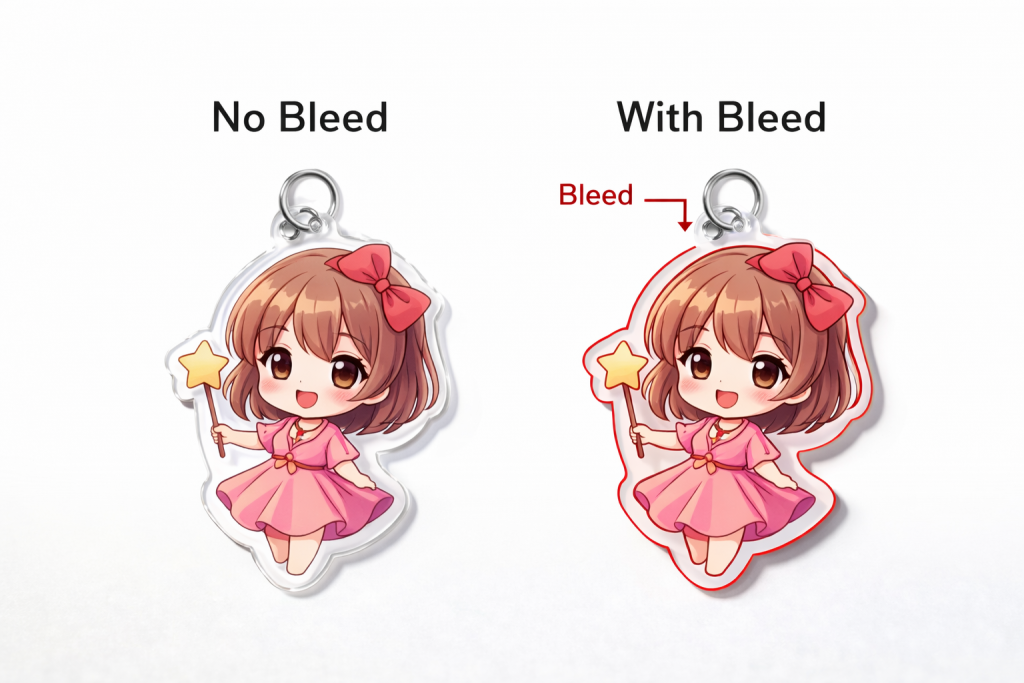
Anchor text: bleed vs no bleed
5) Keychain-Specific Notes: Hole Placement & Hanging Direction
Keychains add one more factor: the hole.
To avoid surprises:
- Mark the hole position clearly
- Tell us the hanging direction (which side should face forward when hanging)
- Keep key details away from the hole area
This is one of those small details that saves a lot of revisions later.
📌 Tip: If your keychain is character-style (head/shoulders), the hole position can change the “balance” a lot. A quick confirmation image usually prevents mistakes.
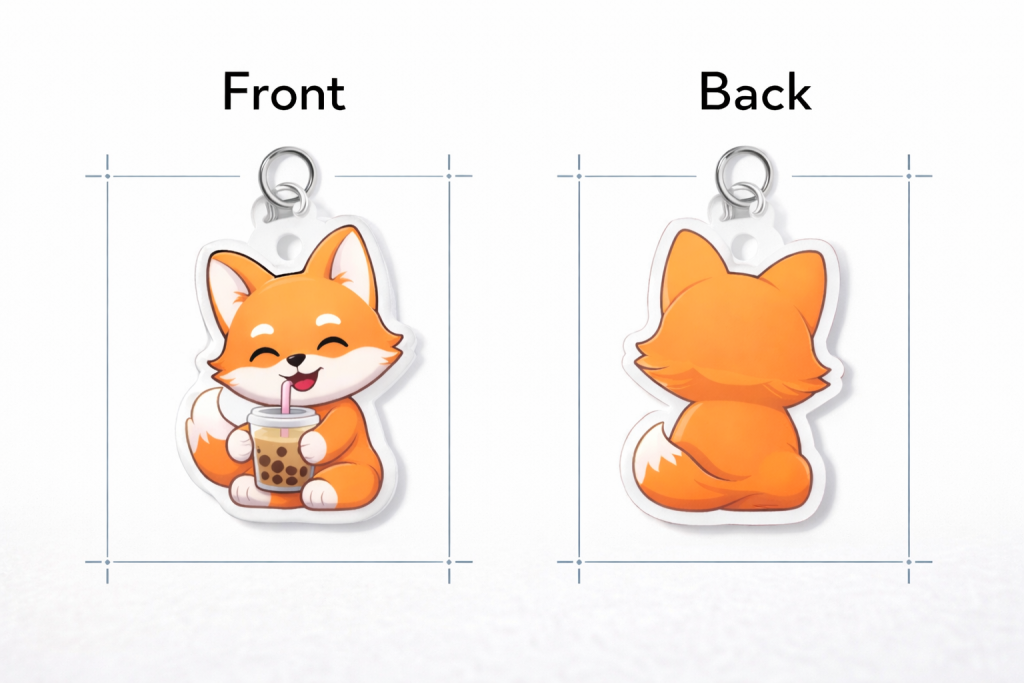
6) Double-Sided Printing: Make Front/Back Intent Clear
If you want double-sided printing, your file should answer one question:
Do you want the back side identical, mirrored, or different?
Common options:
- Same artwork front & back
- Front artwork + back logo
- Front character + back pattern
- Mirrored back (so it reads correctly through acrylic)
When this is unclear, production slows down.
7) Fridge Magnets & Standees: What Buyers Often Forget
For Acrylic Fridge Magnets
- Decide: full back magnet or small magnet piece
- Tell us how strong you want it (light display vs daily use)
- Confirm if it’s a “collection set” (multiple designs)
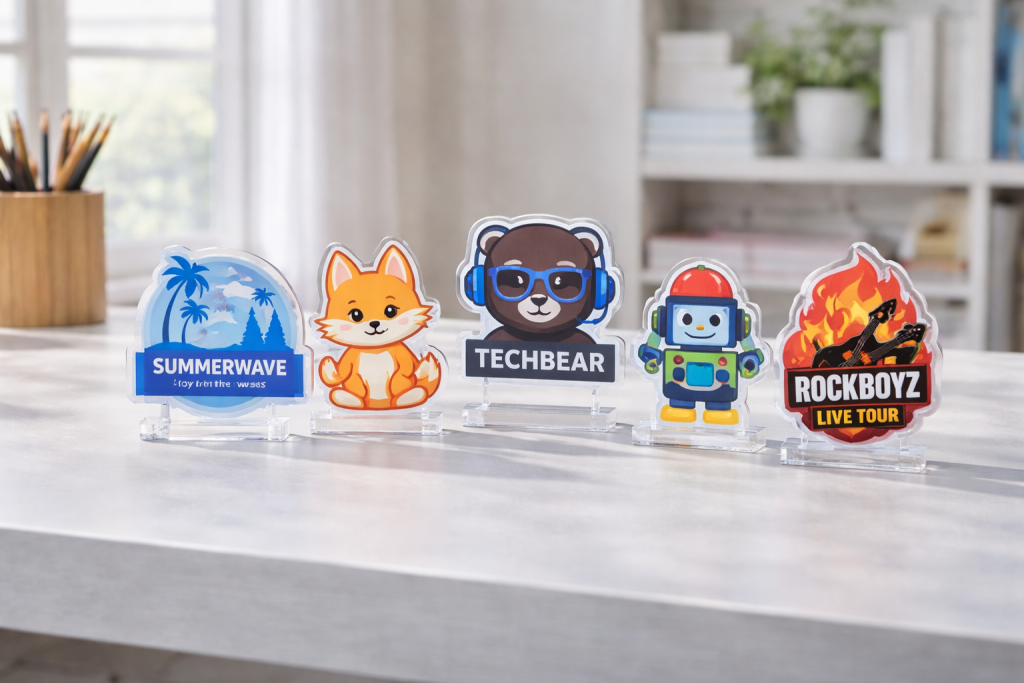
For Acrylic Standees
- Confirm base style (oval base / shaped base / slot base)
- Check balance: tall standees may need a wider base
- Keep important details away from the bottom slot area
Even though the product types differ, the custom acrylic artwork requirements are still mostly the same: clear file + clear intent.
8) A Quick Buyer Workflow (To Speed Everything Up)
If you want faster turnaround, this order works best:
- Send artwork + size + quantity
- Confirm printing method (single / double-sided / white ink)
- Confirm key details (hole placement / base style / magnet style)
- Approve proof
- Production starts
This is how buyers avoid delays while still keeping quality under control.
If you’re planning your schedule, read: When Is the Best Time to Order Custom Acrylic Keychains? A Buyer’s Planning Guide
FAQ: Custom Acrylic Artwork Requirements
What’s the most important part of custom acrylic artwork requirements?
Bleed + clear cut line intent. If edges matter, bleed matters. It’s the fastest way to prevent white borders after cutting.
Can I send PNG instead of AI?
Yes — if it’s high-resolution (300 DPI at final size) and clean. But for text-heavy designs, AI/PDF is safer.
Do I need different files for keychains vs magnets?
Not necessarily. Most custom acrylic artwork requirements stay the same. The difference is mainly hardware: hole position, magnet style, or standee base.
Final Thoughts
Acrylic products look simple, but production is very precise. The good news is: once you follow a clean file checklist, everything gets easier — faster proofs, fewer revisions, and more consistent results.
If you want, send your current design file and tell us what product you’re making (keychain / magnet / standee). We’ll review it against our custom acrylic artwork requirements and help you confirm the safest setup before production.
Anchor text: Contact us for a quick file check & quote
